Showing posts with label Facebook. Show all posts

Why to Use Social Media at Work? Reasons

Are you using social media like Facebook, Twitter, etc., in Office? Do your organization / company limit use of the social media at the workplace via restricting or blocking ? Most of the Organization i know personally, limits the use of the social media at the workplace as they have the mindset “Employees are wasting their working hours on Facebook or Twitter. ? If I talk about my own organization, they are blocking most of the social media / email / or video sites, so that we (employees) can concentrate on the work for which they are paid


Today, when i got newsletter from the Harvard Business, which focused on Use of the Social media at the work, I was really surprises and thought would review & share with all my friends over the social media, this is what they have to say.,

3 Reasons to use Social Media (Twitter, Facebook, etc) at Work :

  1. More attractive workplace. Many people, especially younger generations, see social media as a staple of work life and seek out employers who understand and acknowledge the critical role these new technologies play in our world.
  2. Improved productivity. Research has shown that employees who take breaks to surf the internet for fun are ultimately more productive than their surf-adverse colleagues.
  3. More engaged workforce. Employees not only appreciate companies that allow them to check Facebook at work, but they also use social media to connect with colleagues, improve communication, and speed up decision making processes — all of which helps them engage with their work and the organization.
What is Social Media ? If you are still thinking about it ?

Social media is media designed to be disseminated through social interaction, created using highly accessible and scalable publishing techniques – Wikipedia
Social media can be said to have three components;
  1. Concept (art, information, or meme).
  2. Media (physical, electronic, or verbal).
  3. Social interface (intimate direct, community engagement, social viral, electronic broadcast or syndication, or other physical media such as print).
The above 3 Reasons, are taken from the Harvard Business newsletter, “The Über-Connected Organization: A Mandate for 2010” which explains the reasons why companies or organization should encourage use of the social media at work instead of blocking them. In Short, Reason includes : Access to social media improves productivity, Millennial will seek jobs that encourage the use of social media, Companies that provide access to social media create a more engaged workforce.

What more., Company & its employees need ? What is your take over from it ., do you agree on using social media at work is in favor of company & employees ? Comment please your views.,

Follow Anna Hazare Says Online on Facebook, Twitter & Blog (Wordpress)

You can now follow Anti-corruption leader Anna Hazare via Internet on Anna Hazare's Facebook Page : - http://www.facebook.com/pages/Anna-Hazare/102552496465571/, Anna Hazare's Twitter Page : - http://twitter.com/#!/annahazaresays, Anna Hazare as blogger on his wordpress blog with URL https://annahazaresays.wordpress.com & last but not the least you can also direct contact Anna Hazare via Email ID : - annasays@rediffmail.com.


On Thursday (30th September, 2011) Anna Hazare became blogger & also joined social networking sites like Facebook & Twitter. Even shared his personal contact via Email Address on his First ever post as blogger. The WordPress blog of Anna Hazare is avaible in three lauguages "English, Hingi, & Marathi" which can be accessed on https://annahazaresays.wordpress.com.

Hazare on his blog wrote: "It is after a long time that I am directly communicating with you. Henceforth, it is from this blog that I will be constantly in touch with you." and mentioned the wordpress blog address in its first ever twit on twitter "http://twitter.com/#!/annahazaresays/statuses/119259716634423296"

You can follow him and support first ever online cyber move towards anti-corruption in India.

Bitdefender 2012 Facebook Giveaway Contest

Bitdefender, one of the most popular anti virus today has started a Facebook giveaway contest on there Facebook page to give away 20 free copies of Bitdefender Internet Security 2012 with 1 year subscription. Bitdefender beats every virus & anti-virus available today on the internet. What you have to do to get your free copy of Bitdefender Internet Security 2012 for 1 year for free is just follow some steps :
  1. Visit Bitdefender Facebook Contest Page Here
  2. Allow access to the Bitdefender Facebook Contest Page
  3. Click on the "Like" Button on the Contest Page
  4. Comment on the Facebook Page with the answers to the following questions
What if you were no longer able to post on your Facebook friends' walls?
Or lost control over your Tweets?
Or access photos and documents on your PC.
What would you do?
And if lucky you would get your free copy of Bitdefender Internet Security 2012 with 1 year subscription for Free


Before you processed towards getting your free Bitdefender Internet Security 2012 with 1 year subscription below are some of the tips & tricks which can help you win the contest (giveaway) on Bitdefender Facebook page.
  1. We know it's a terrible scenario, but try to keep your story short (maximum 10 lines)
  2. Be creative! Be funny! Be awesome!
  3. Always keep in mind what your story should be about. We won't take into consideration stories that have nothing to do with our contest.
  4. We will delete bad language, rude gestures etc.
  5. Don't post anything that isn't yours to post.
  6. Only stories posted in this Facebook Tab will be admitted to the competition.
  7. Make sure you read the Terms & Conditions of the contest before you enter.
If you are aware of some of the other contest & giveaway available on the internet, please share via comments as more & more friends can make use of it.... Happy Hunting. 
Via Techno360 

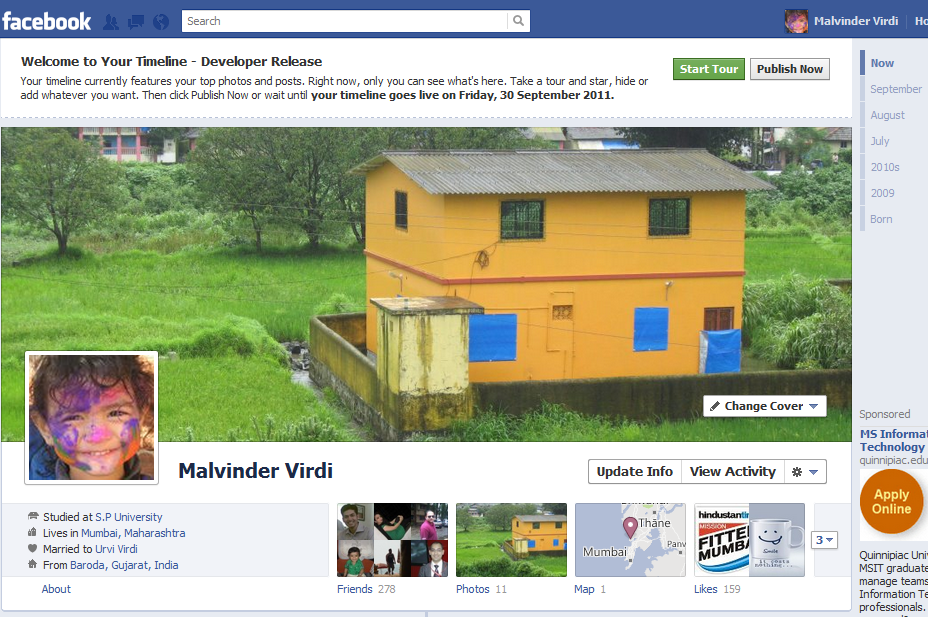
How to Activate Facebook timeline (F8) right now ?

How to activate latest buzz on Facebook - Facebook timeline (F8 conference) before September 30th 2011, which is the official launch date of Facebook timeline. Below are the easy steps to follow to activate Facebook timeline before it gets launched public on September 30th 2011.


If you are willing to create brand new Facebook Timeline - Here are the easy Eight Steps to follow on Facebook : - 
  1. Log in to Facebook.
  2. Follow the developer page right here to get started for Facebook Timeline.
  3. Click on the Allow button to grant premision to developer Facebook Application.
  4. Click new Application on the next page.
  5. Fill the App Display Name & App Namespace (don;t worry) Fill what ever you want.... it hardly matters & click on continue button...
  6. You'll see the next screen, entitled "Get Started with Open Graph" -- fill in anything you want (it doesn't matter) in those fields under the heading "start by defining one action than one object for your app." Click Get Started.
  7. On this screen, do nothing except scroll to the bottom and click "Save Changes and Next." Do the same thing on the next screen.
  8. You'll be taken to this screen. Wait a few minutes, and then go to your Facebook homepage. That's where you'll be invited to enable Timeline. Be patient at this point -- sometimes it requires you to wait before the changes take effect
  9. When you go back to your Facebook homepage, you'll see this. Success! Click Get It Now, and you're in!
Enjoy your Facebook Timeline.. Share the same with your friends on facebook.... Note : - Your timeline would be visible to the friends who have activated there developer option and rest all can see the same on 30th September 2011. (Official Date for Facebook Timeline to go on Air) Via